Time
Everything about the playhead
Move layers so they start or end at the playhead, trim them to it, split, freeze a frame, trim or set the work area.
inouttrim intrim outsplitfreezetrim waset wa
Every timeline chore. One click.
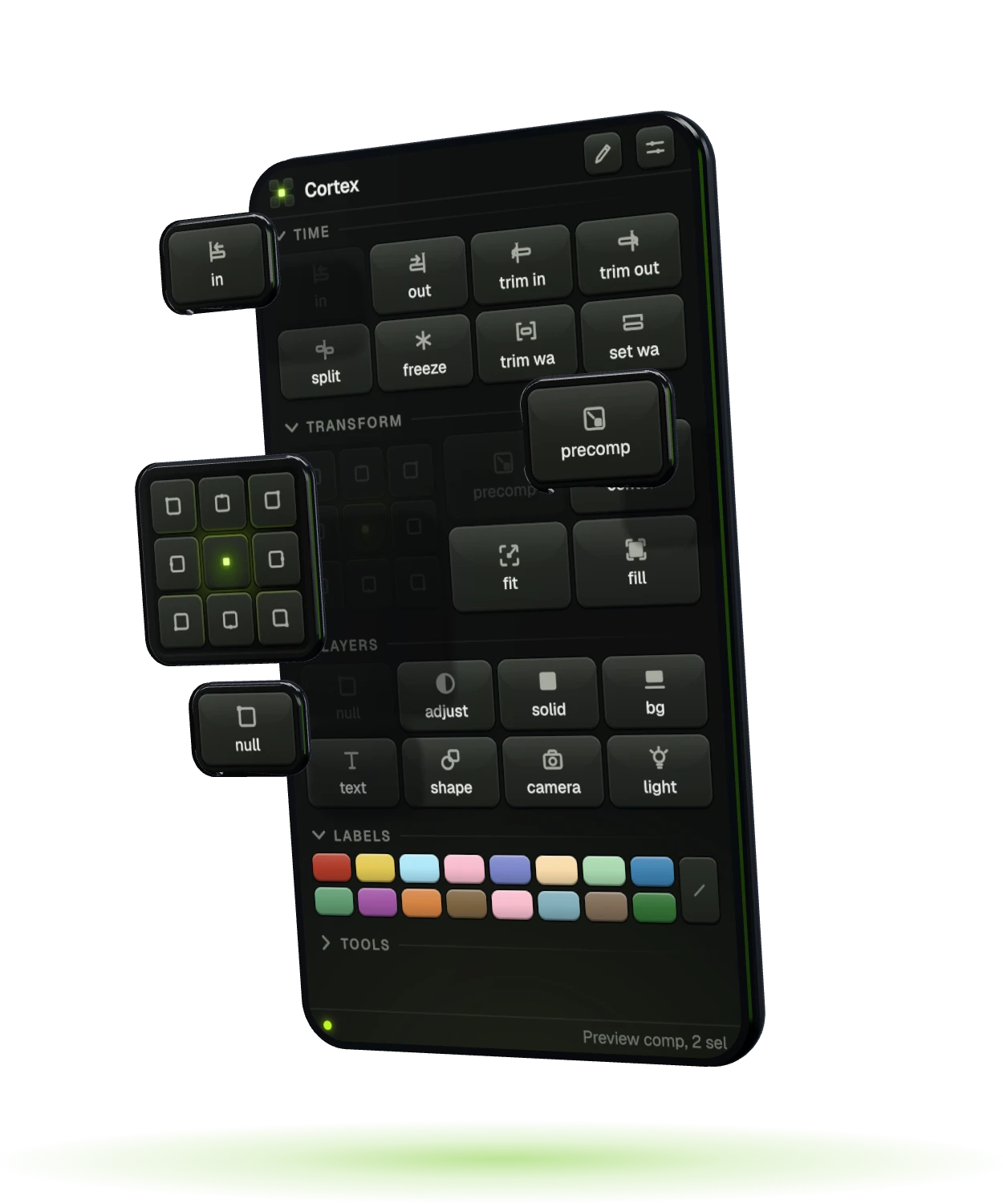
A panel for After Effects that does the boring part for you: move and trim layers to the playhead, set the anchor point, add a smart null, pre-compose, color labels, rename in batches. 50+ one-click actions, zero dialogs.
Cortex ships free with every AppleFX license. Get AppleFX and Cortex comes with it.
This is the real Cortex panel, running in your browser. Open the sections, press the tiles, switch to edit mode. In After Effects each of them does its job the moment you click.

Live preview. In After Effects the tiles act on your comp.
Move layers so they start or end at the playhead, trim them to it, split, freeze a frame, trim or set the work area.
A 3 x 3 anchor grid (Alt or Option + click moves the layer to that spot of the comp), pre-compose, center, fit and fill.
Null, adjustment, solid, background, text, shape, camera, light. Each lands right above your selection.
All 16 label colors and no label, one click each, on every selected layer.
Batch rename, stretch, match, replace, save a frame, clean the project, sequence and reverse layers.
shot_01, shot_02, shot_03.
Cortex is not for sale on its own. Get AppleFX and Cortex comes in the same order, free, with every future update.
Cortex is added to your AppleFX order automatically.
